Đã có phiên bản mới nhất của AscendEX. Vui lòng tải lại trang!
Làm mới


Hi, --
-
Thông báo
-
Hoạt động mới nhất
-
Sao chép Thông báo
How to Change Your Login Password【APP】

Đã cập nhật 3helpCenter.helpCenter015_1
Users can take the following steps to change their login password:
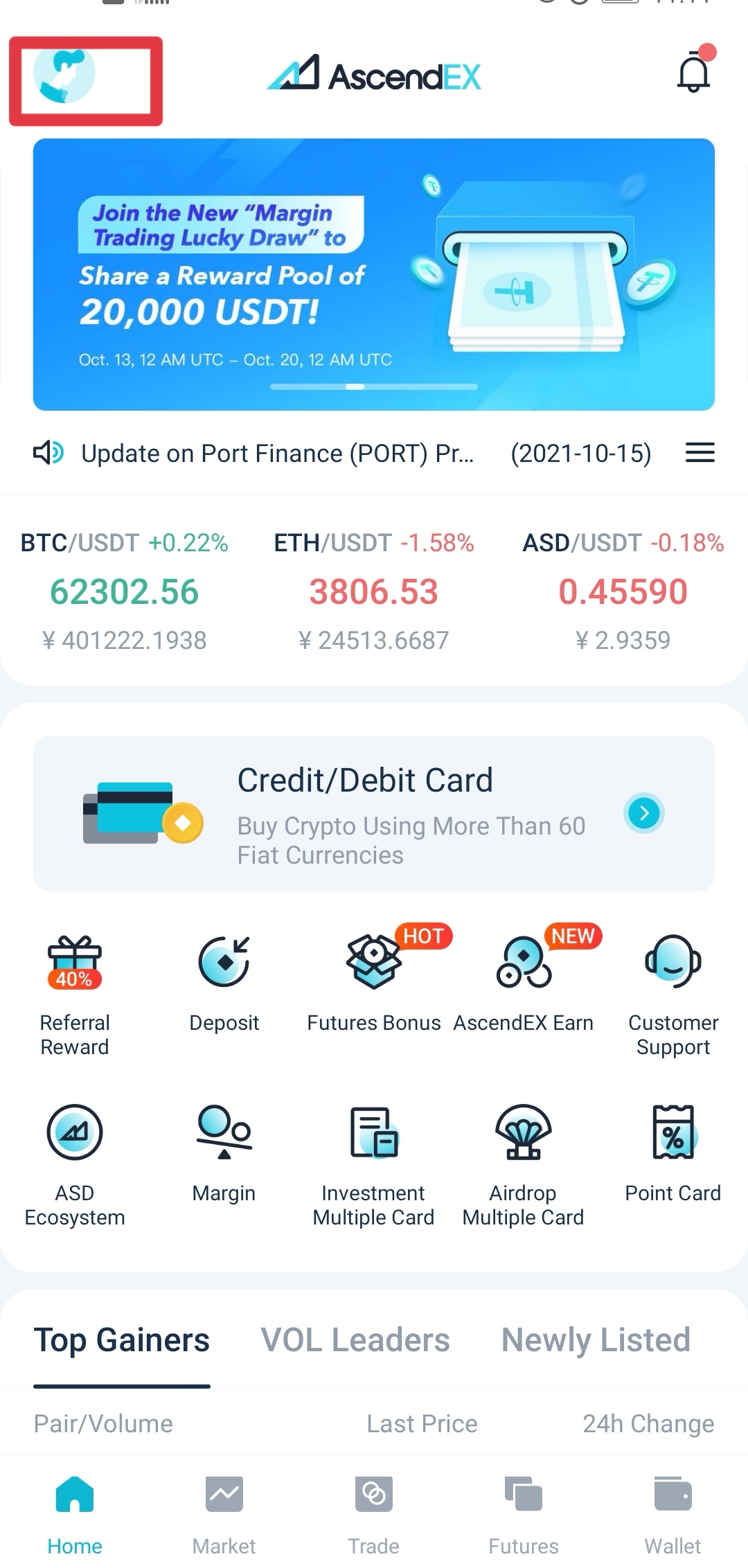
1. Log in to your AscendEX account on your app click on profile icon in the upper left corner of the homepage.
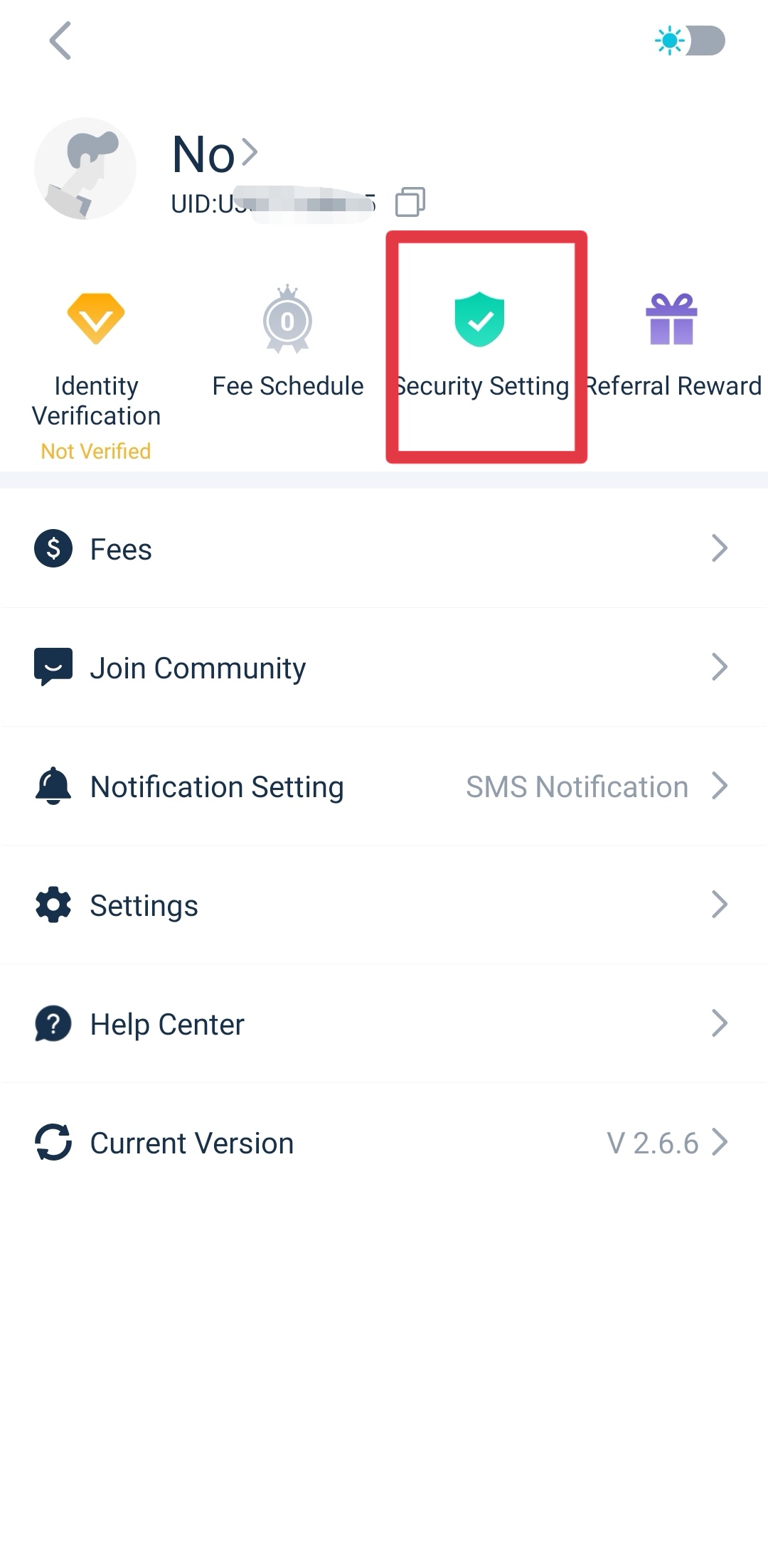
2. Enter “My Account” page and click “Security Center”.
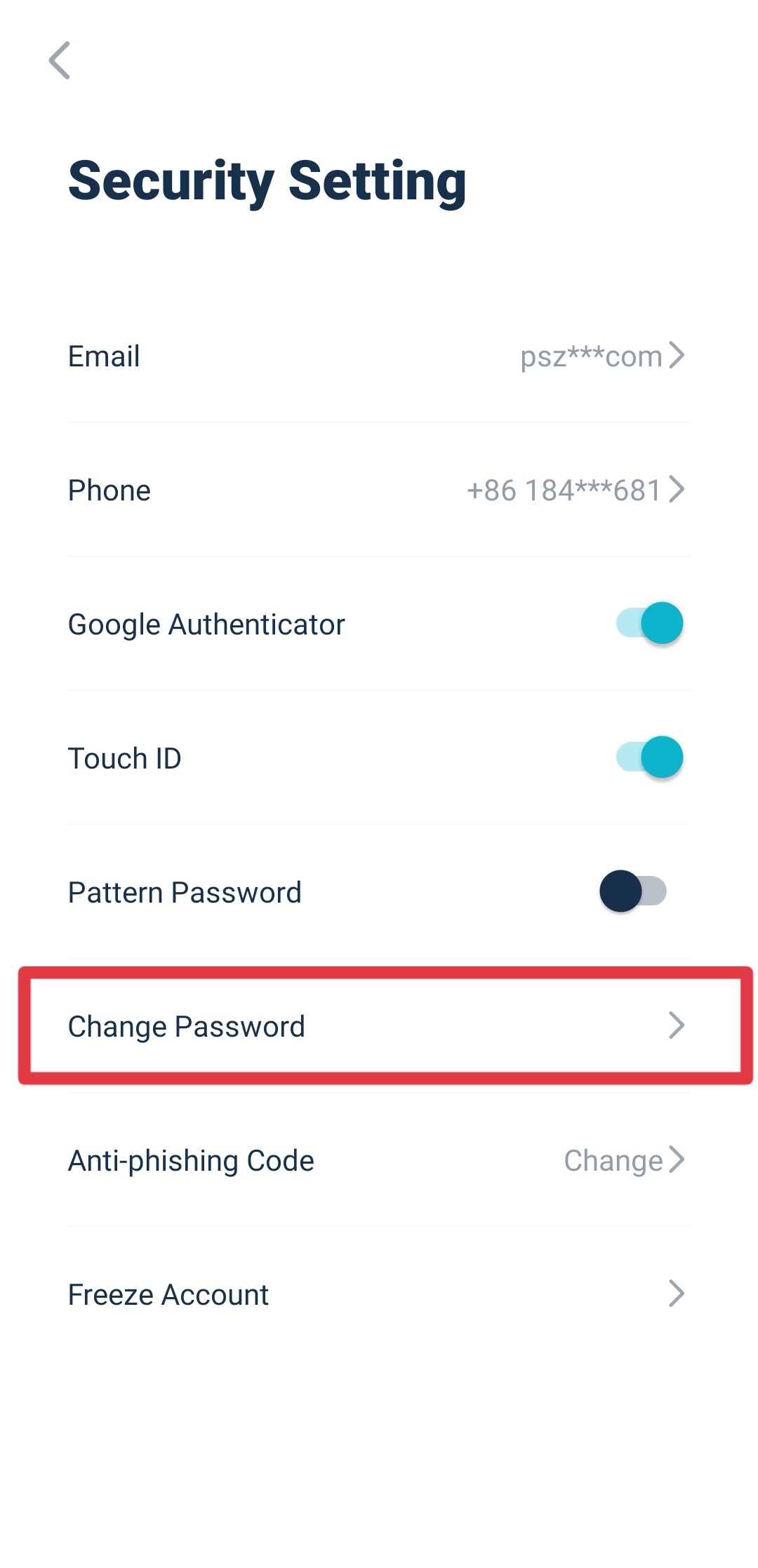
3. On the “Security Center” page, click “Change Password” at the bottom of the page.
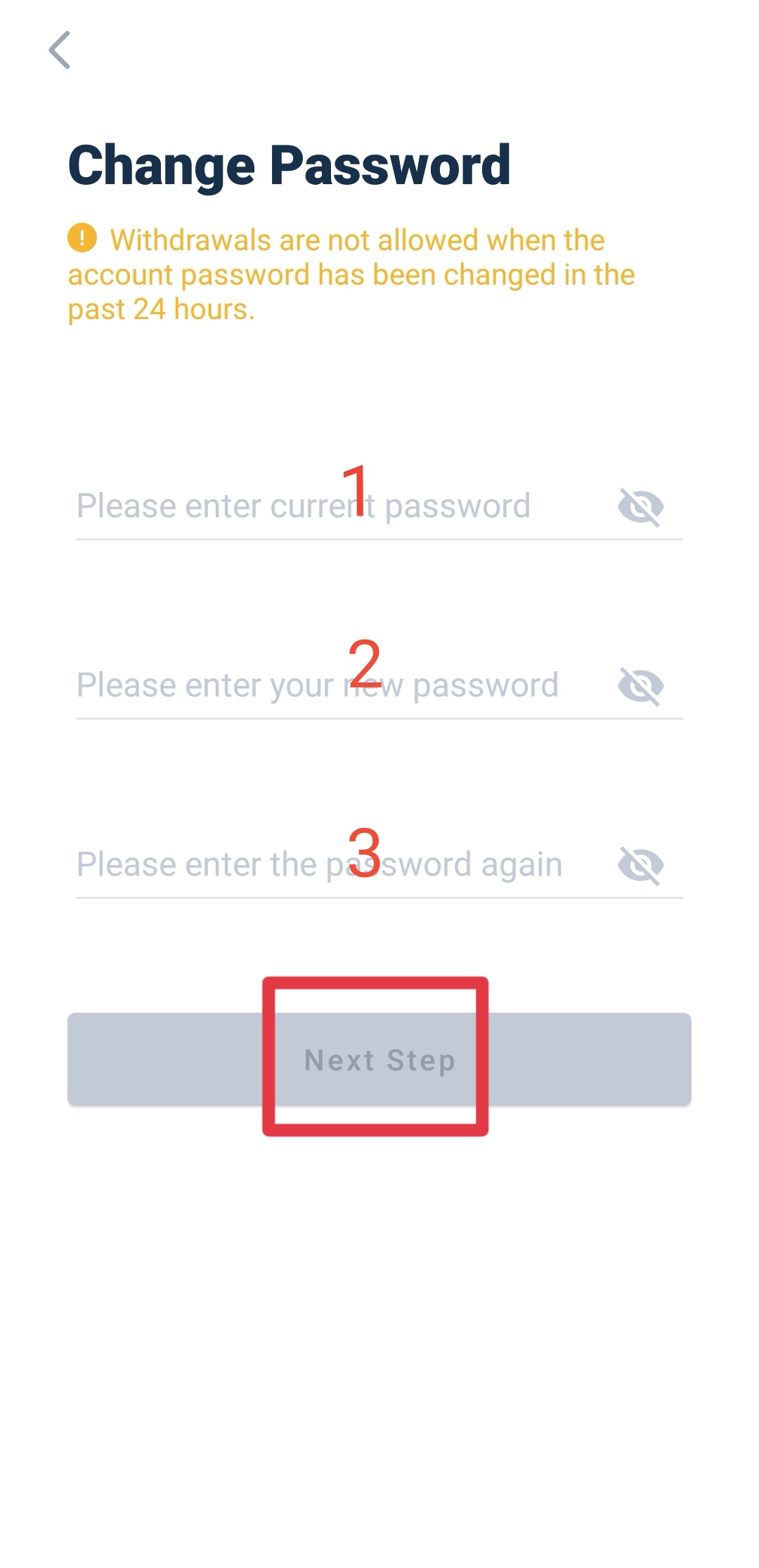
4. On the “Change Password” page, type in your existing login password and then enter your new login password twice. Click “Next”.
5. After jumping to the “Security Verification” page, enter your Google Verification Code and click “Verify”.
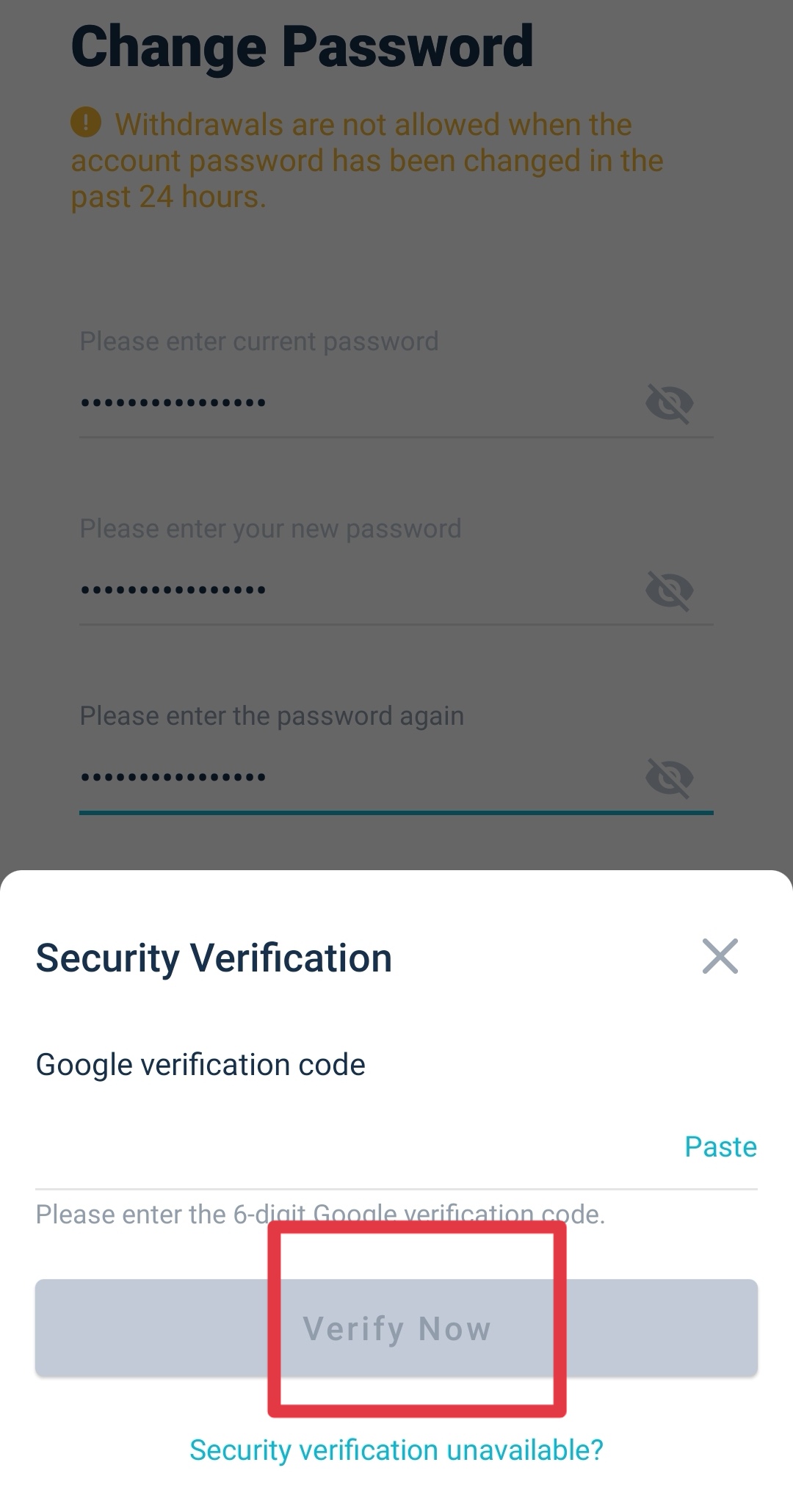
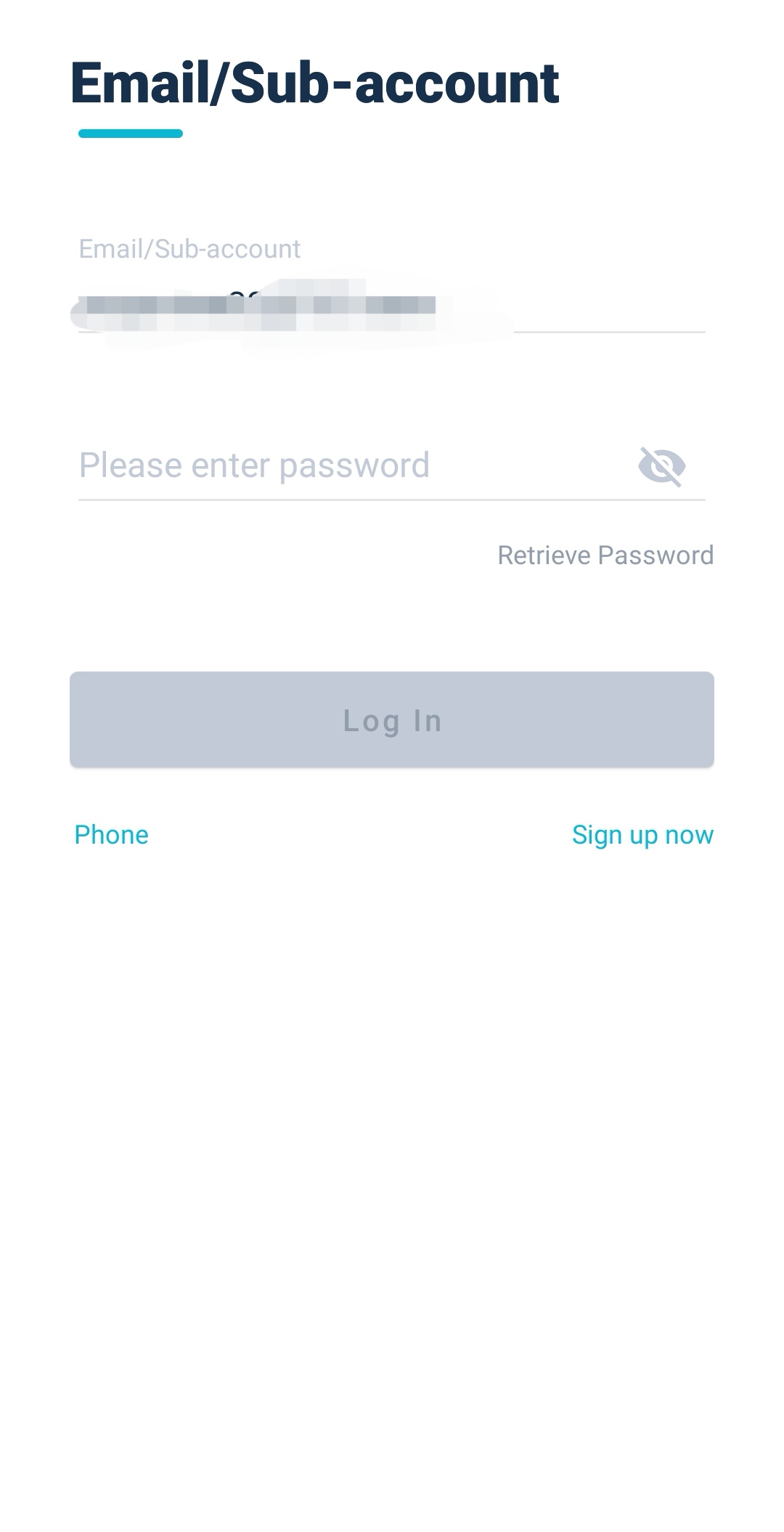
6. After the security verification, your login password is successfully changed before jumping to the login interface at the homepage of AscendEX website. Use the new login password to log into your AscendEX account before trading. Please note: In order to ensure the security of your account and assets, the withdrawal function will not be available for 24 hours after you change your login password.
Các bài viết trong mục này
- How to Change Your Login Password【PC】
- How to Change Your Login Password【APP】
- How to Set Up Notifications【PC】
- How to Set Up Notifications【App】
- Is It Safe to Delegate Your Assets to AscendEX?
- How to Set Google (2FA) Verification【APP】
- How to Set Google (2FA) Verification【PC】
- How to Freeze an Account?【APP】
- How to Freeze an Account? 【PC】
- FAQs for Account Security
- How to Manage Account Login Devices?
- How to Convert Small Account Balance into ASD【APP】
- How to Convert a Small Account Balance into ASD【PC】
- How to Reset Google (2FA) Verification【APP】
- How to Reset Google (2FA) Verification【PC】
- How to Complete Your Account Verification【PC】
- How to Complete Your Account Verification【APP】
- How to Set an Anti-Phishing Code【APP】
- How to Set an Anti-Phishing Code【PC】
- AscendEX’s Official Channels
- How to Prevent a Credential Stuffing Attack
- How to Create an API
- Two factor authentication failed
- How to Reset Security Verification
- Change or Reset Your Password
- How to White-list AscendEX Emails
- How to Make your Account more Secure
- How to Prevent Phishing Attack
- How to Check if Your PC is Infected with a Virus/Trojan Virus?
- Commonly Observed Crypto Scams and Security Reminders