AscendEX versi terbaru sudah tersedia. Mohon refresh laman ini!
Refresh


MASUK
USD
Hi, --
VIP0
Akun Sekunder
Dompet
Order
Keamanan & Pengaturan
Verifikasi Akun
Rate Biaya
Undangan
Akun Sekunder
Pengaturan API
Mata Uang & Bahasa
-
Notifikasi
-
Aktivitas Terakhir
-
Pengumuman
How to check my relevant staking records?

AscendEX Support
Ter-update 4helpCenter.helpCenter015_1
Users can check the status of supported staking assets, available amount, and cumulative reward over "Home Page" → "Staking" → "My Staking." Users can also conduct delegation or undelegation on that page.
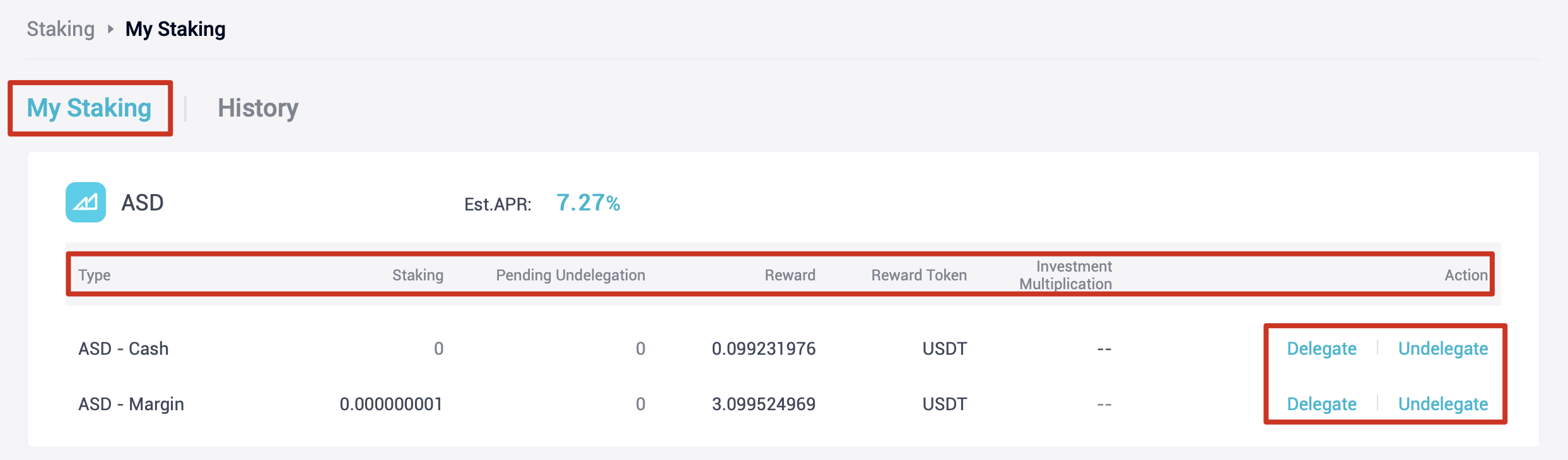
My Staking Page
If users plan to obtain historical records for delegation and reward distribution, they can go to "Home Page" → “Staking” → "History" for review.
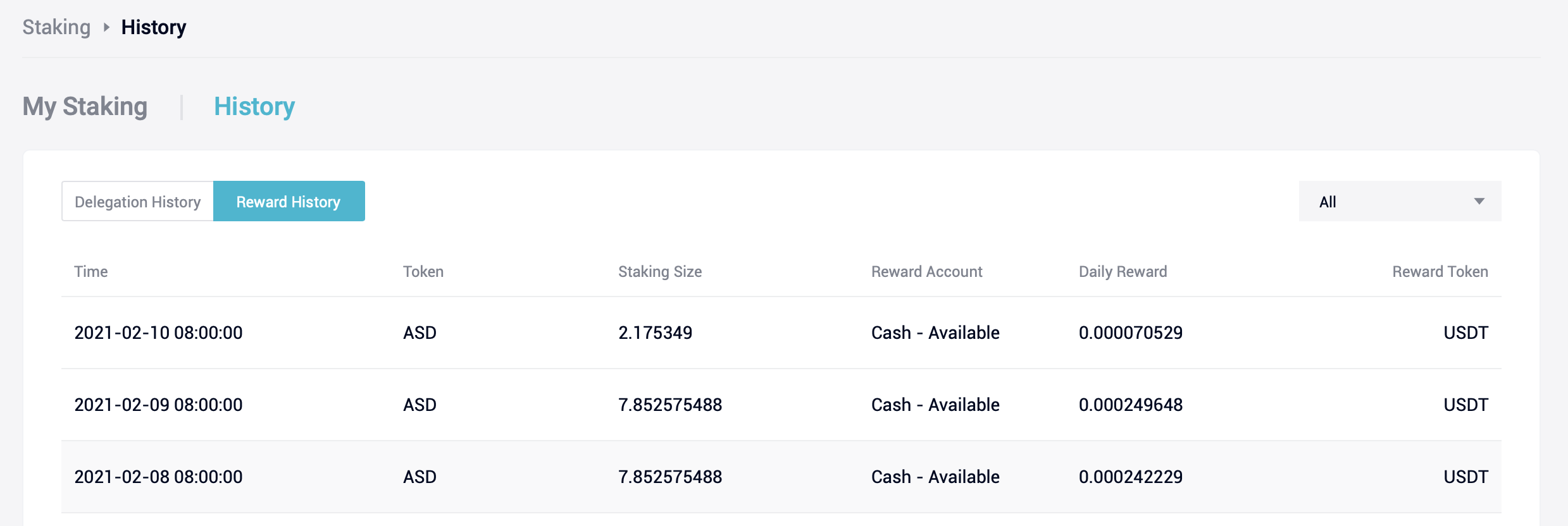
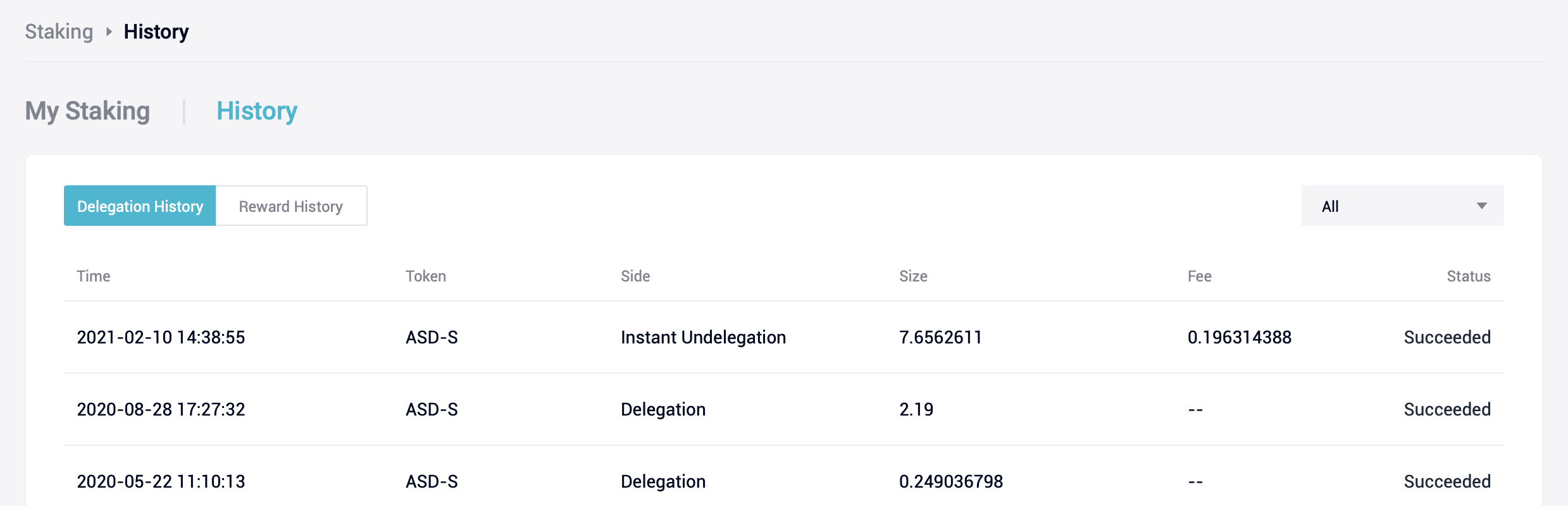
History Page
Punya Pertanyaan Lain?
Kirim Permintaan
Artikel di bagian ini
- Staking on AscendEX
- How to Participate in AscendEX Staking【PC】
- How to Participate in AscendEX Staking 【APP】
- How to Unstake and Stop Staking【PC】
- How to Unstake and Stop Staking 【APP】
- How to Use Staked Assets for Futures Trading【PC】
- How to Start Margin Trading with Staked Assets【PC】
- How to Start Margin Trading with Staked Assets 【APP】
- Frequently Asked Questions (FAQ)
- How to activate Compound Mode?
- How to check my relevant staking records?