The latest version of AscendEX is available. Please refresh the page!
Actualizar


INICIAR SESIÓN
USD
Hi, --
VIP0
Subcuenta
Monederot
Pedidos
Seguridad y configuración
Verificación de Cuenta
Comisones
Referencia
Subcuenta
Configuración API
Divisa e idioma
-
Notificaciones
-
Actividad más reciente
-
Copiar Anuncios
How to Download the AscendEX App on an iOS Phone

AscendEX Support
Actualizado 1helpCenter.helpCenter015
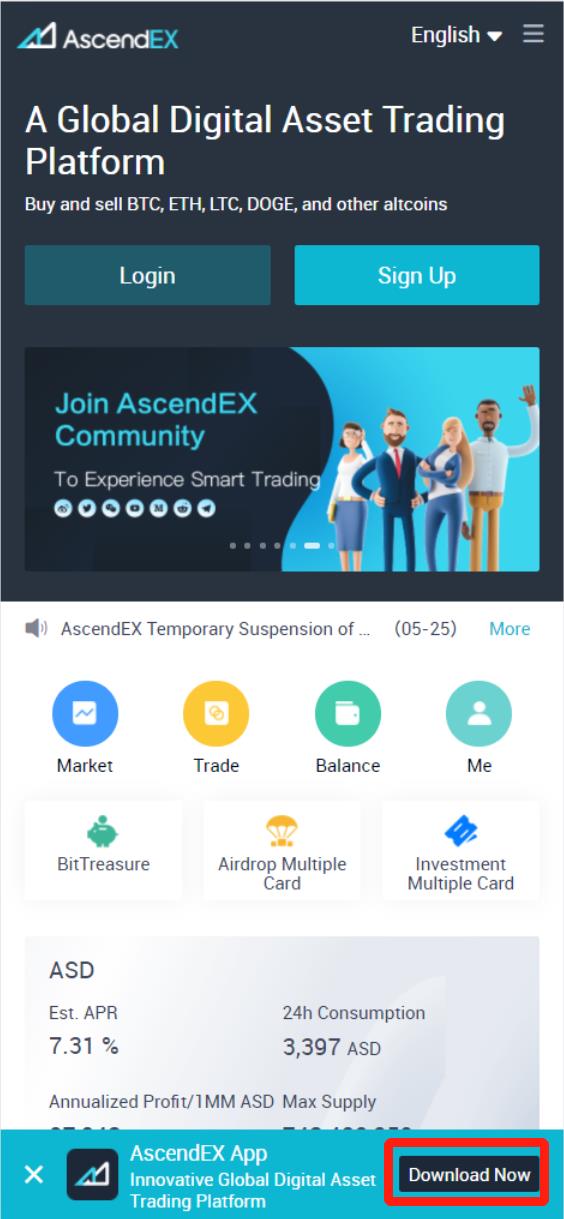
1. Enter ascendex.com in your browser to visit AscendEX official website. Click on [Download Now] at the bottom.
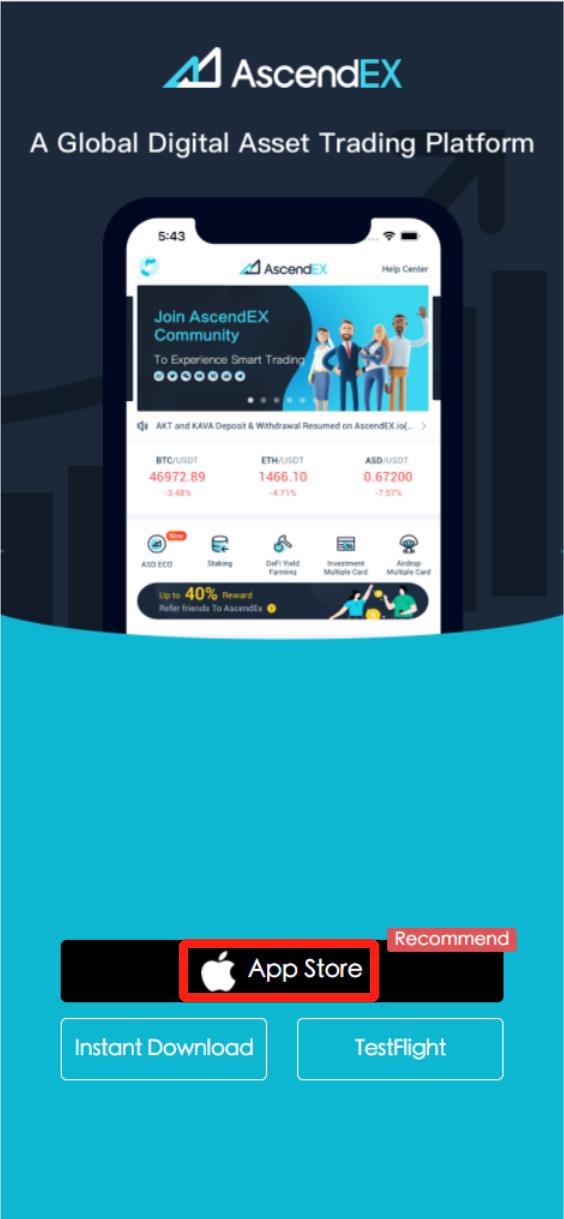
2. Click on [App Store] and follow the instructions to complete the download.
Also, you can download directly via the following link or QR code.
Link: https://m.ascendex.com/static/guide/download.html
QR code:

¿Tiene más preguntas?
Envíe una solicitud
Artículos en esta sección
- An Introduction to AscendEX
- How to Download the AscendEX App on an Android/iOS Phone
- How to Register an AscendEX Account 【PC】
- How to Register an AscendEX Account【APP】
- How to Download the AscendEX App on an Android Phone
- How to Download the AscendEX App on an iOS Phone
- FAQ for Registering an AscendEX Account